Getting Started with Tabvanta: Your Personal Website Dashboard
Organize your favorite websites with Tabvanta. Import browser bookmarks, personalize your dashboard, discover useful tools, and sync your setup acroswens devices.
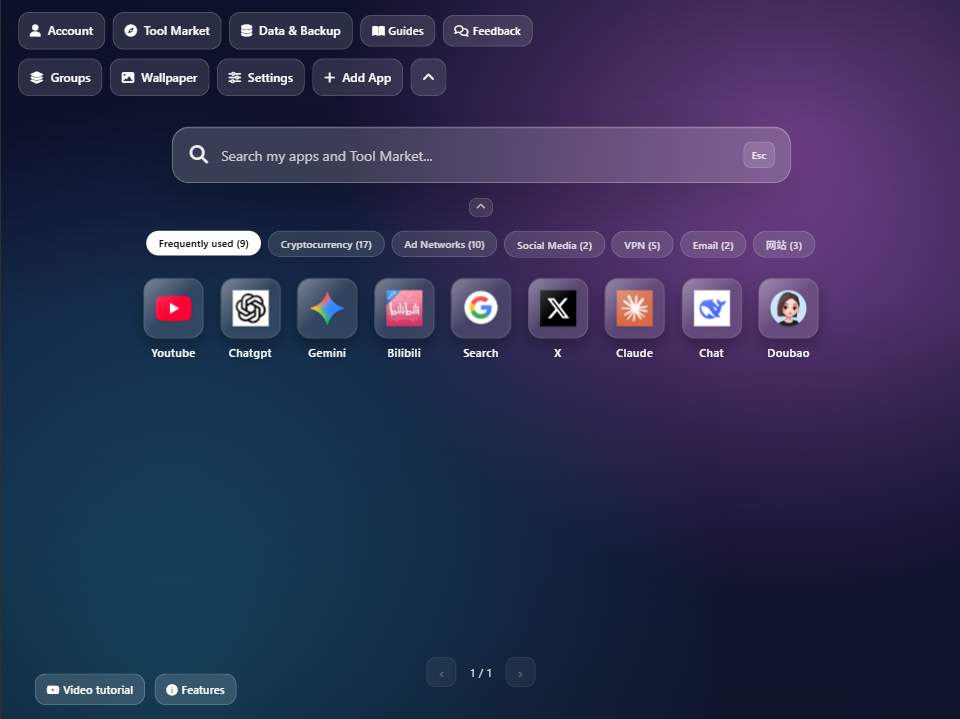
Your favorite websites deserve a place that is easy to find and comfortable to use. Tabvanta is a customizable website dashboard that helps you organize bookmarks, discover useful tools, and keep your everyday links together.
Whether you are working, studying, shopping, or browsing for fun, you can build a start page around the way you use the web.
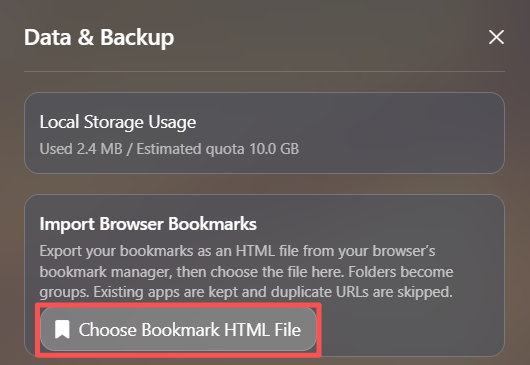
Import Your Browser Bookmarks
You do not need to add every saved website manually. Export your bookmarks from your browser as an HTML file, then import that file into Tabvanta.
Once imported, you can organize your links into groups and arrange them to suit your routine.
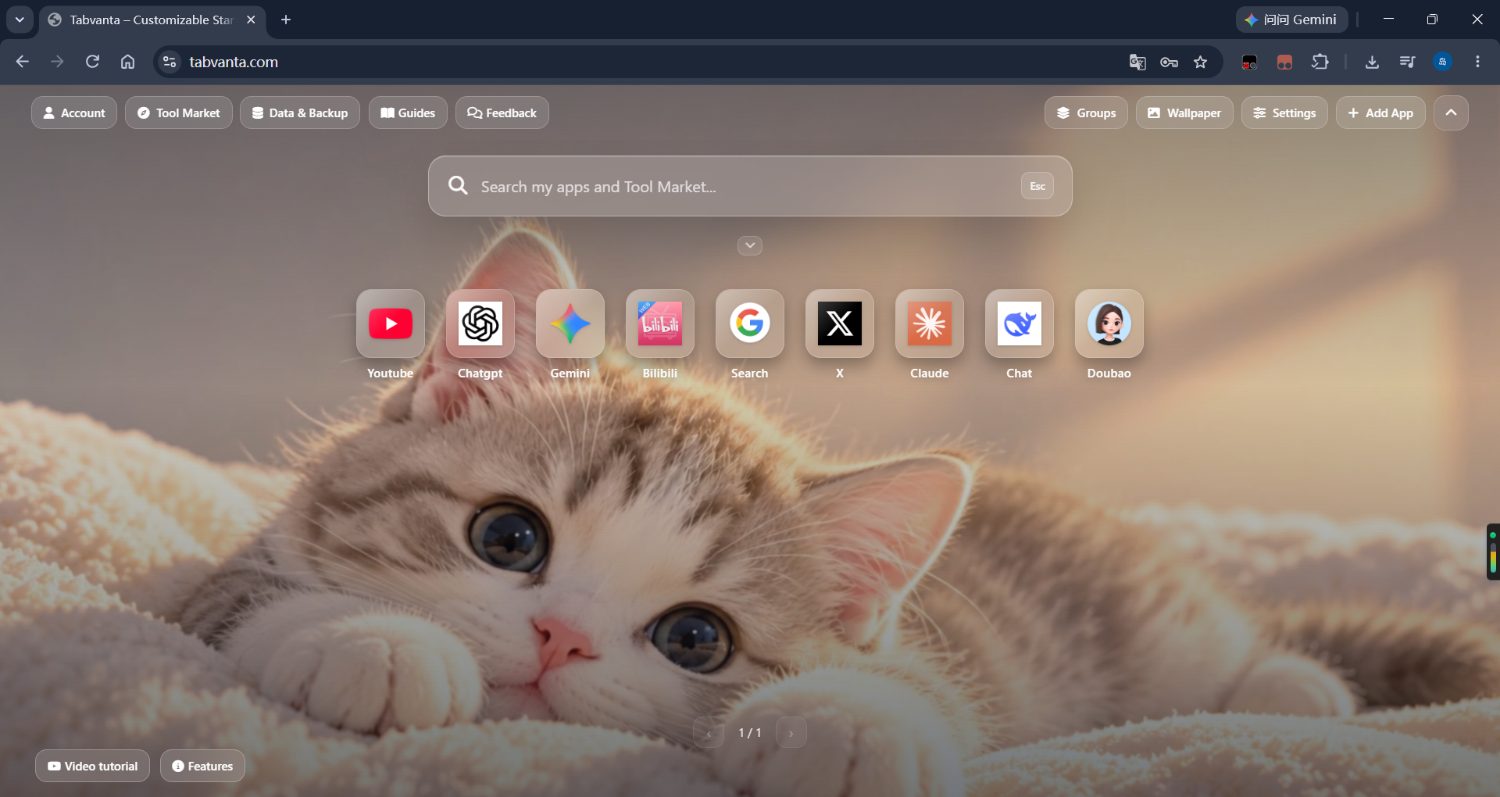
Make Your Dashboard Feel Like Yours
Choose a wallpaper from the available collection or upload your own image to give your dashboard a personal touch.
You can also adjust icon sizes, spacing, and alignment. Keep the layout compact or give your favorite websites more room—choose what feels comfortable for you.
Custom wallpapers are stored on the device where you add them, so you will need to set them separately on other devices.
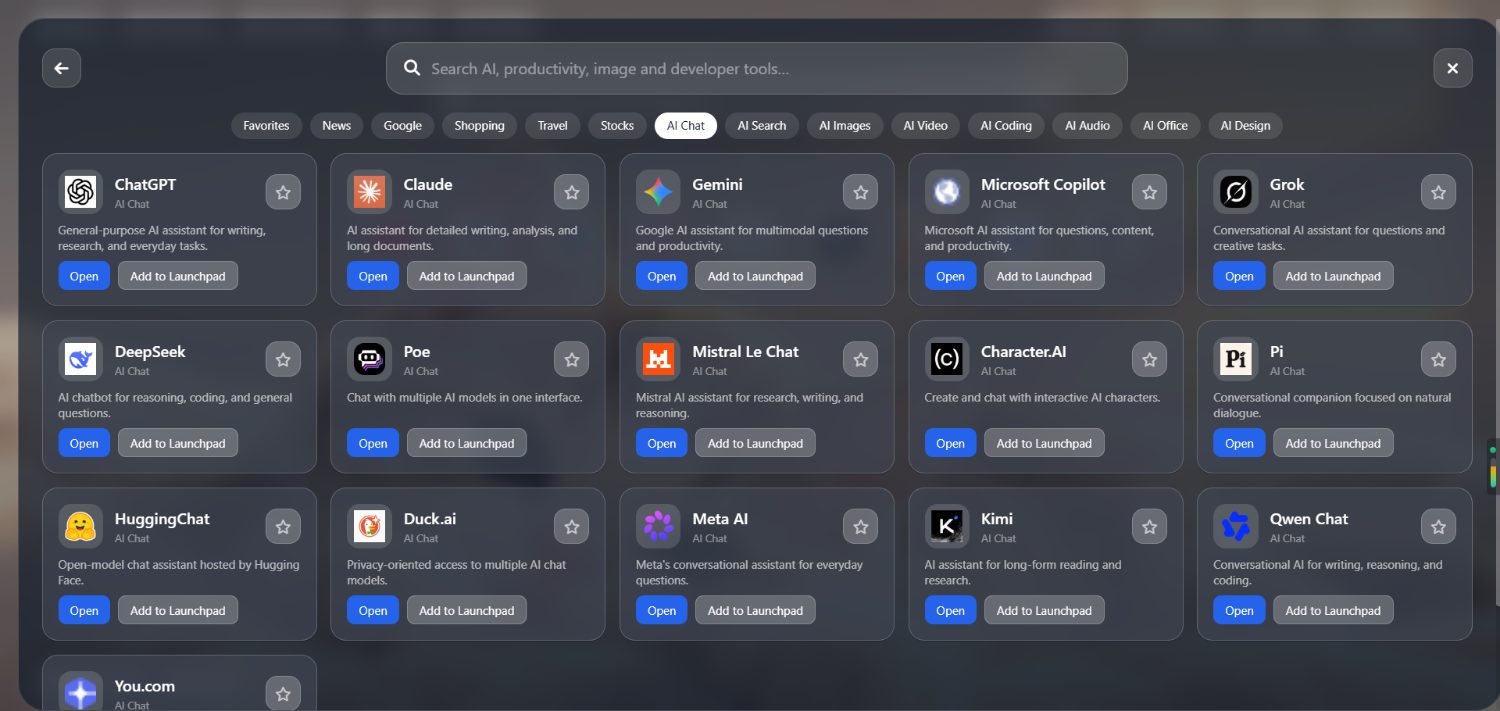
Discover Useful Tools in the Tool Market
The Tool Market brings useful websites and online tools together so you can explore resources beyond your existing bookmarks.
When you find something useful, add it directly to your dashboard and choose a group for it. Your new discovery will be ready the next time you need it.
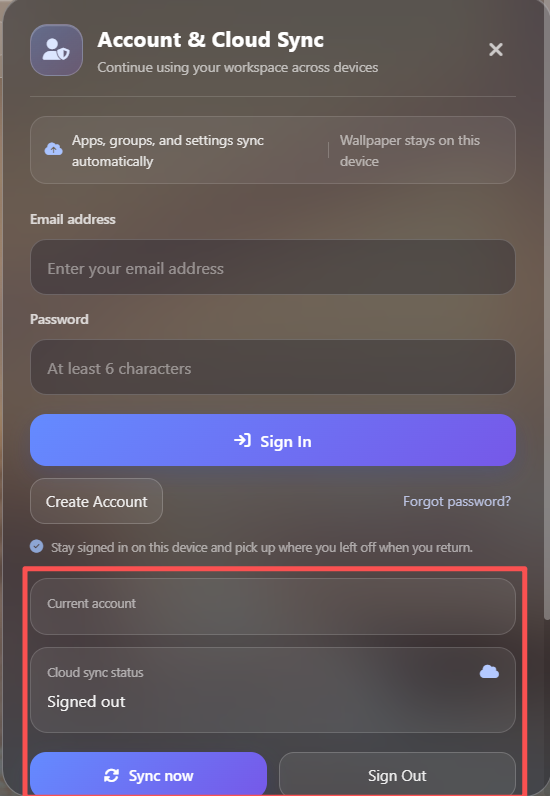
Sign In to Keep Your Setup in Sync
Sign in to Tabvanta to automatically sync your saved websites, groups, and supported settings.
When you sign in with the same account on another device, you can access your saved setup without rebuilding your dashboard. Custom wallpapers are managed separately on each device.
Organize Websites Around Your Daily Routine
Create groups for work, learning, shopping, entertainment, or any other part of your day.
Arrange your websites and groups so that the links you use most are easy to reach. You can start with a few essentials and expand your dashboard as you discover more resources.
Set Tabvanta as Your Browser Start Page
For convenient access, set Tabvanta as your browser’s start page in your browser settings.
This lets you begin each browsing session with your favorite websites already organized in front of you.
Watch the YouTube Tutorial
Need help getting started? Click the YouTube tutorial link in the bottom-left corner of the page for a walkthrough.
A simple way to begin is to import your bookmarks, create a few groups, choose a wallpaper, and sign in to save your setup.
Make it easier with Tabvanta
Organize your favorite websites and start browsing your way.
Open Tabvanta →